A folder as a workspace.
A folder of notes, a CLAUDE.md saying what the folder is for, and a Productivity session open on it. The files sit beside the conversation. You edit one while the agent writes another.
- Everyday work
- Productivity mode
- Google Drive
How it goes
- Step 1
Start a Productivity session on the folder. The file tree and an editor open beside the conversation. Press the chip in the session header to add the productivity skills.
Step 2Put a
CLAUDE.mdin the folder that says what it's for: "My notes for the house move. Keep a running list of tasks intodo.md."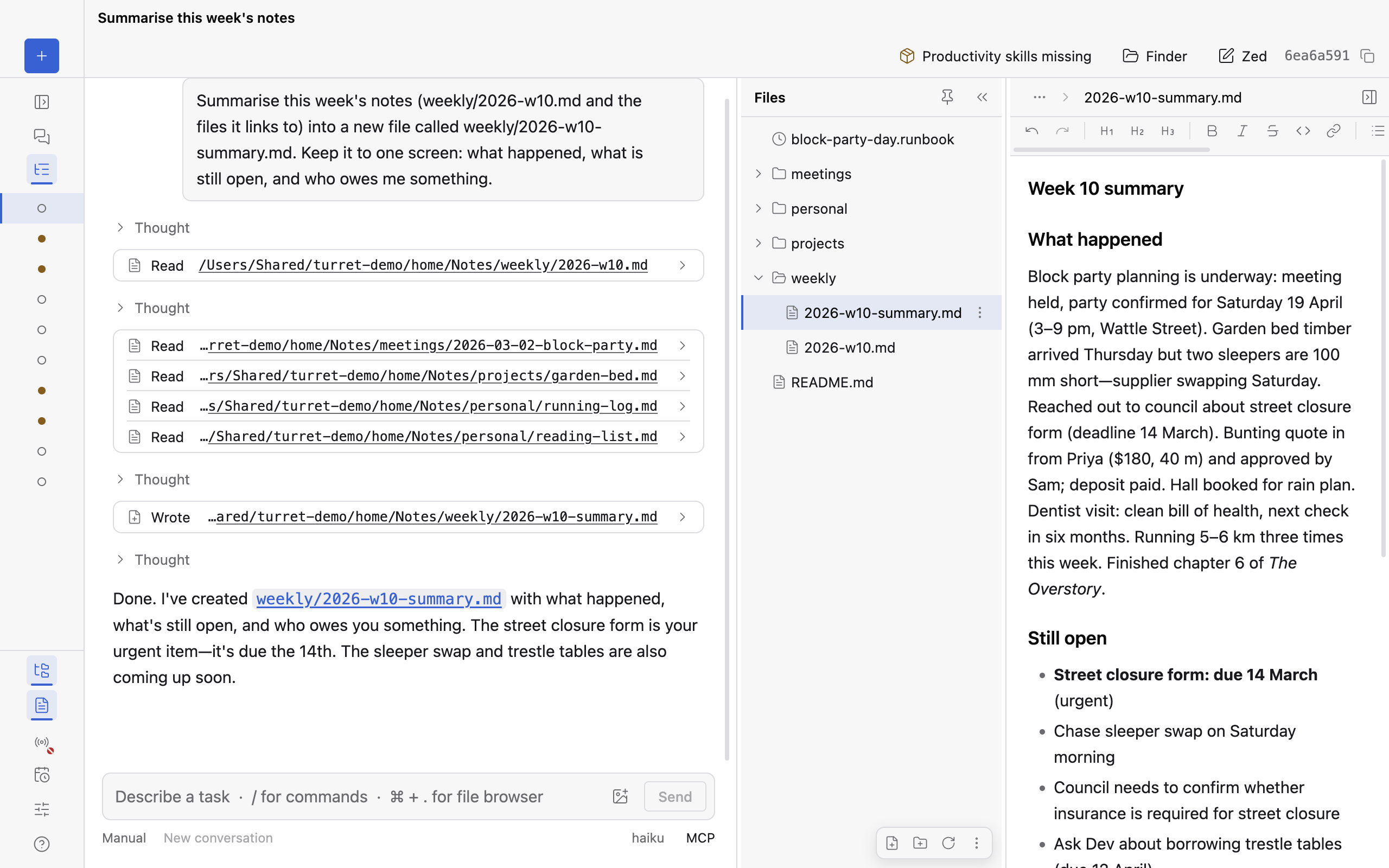
Productivity mode. 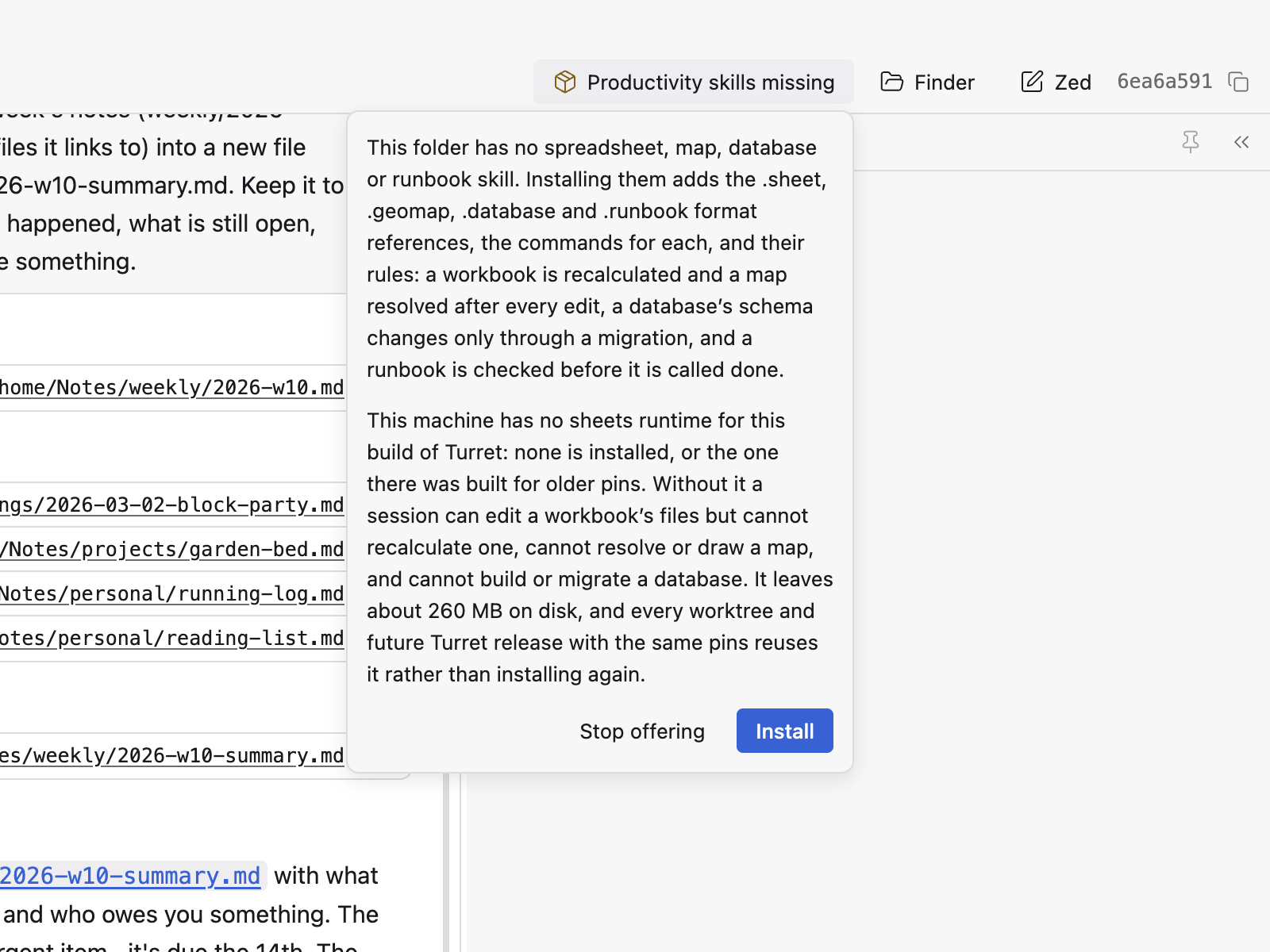
The productivity skills chip. - Step 3
Ask: "Summarise this week's notes into a new file, and link each point to the note it came from." The new file appears in the tree. Open it, and ⌘-click a link (Ctrl-click on Windows and Linux) to open the note it points to.
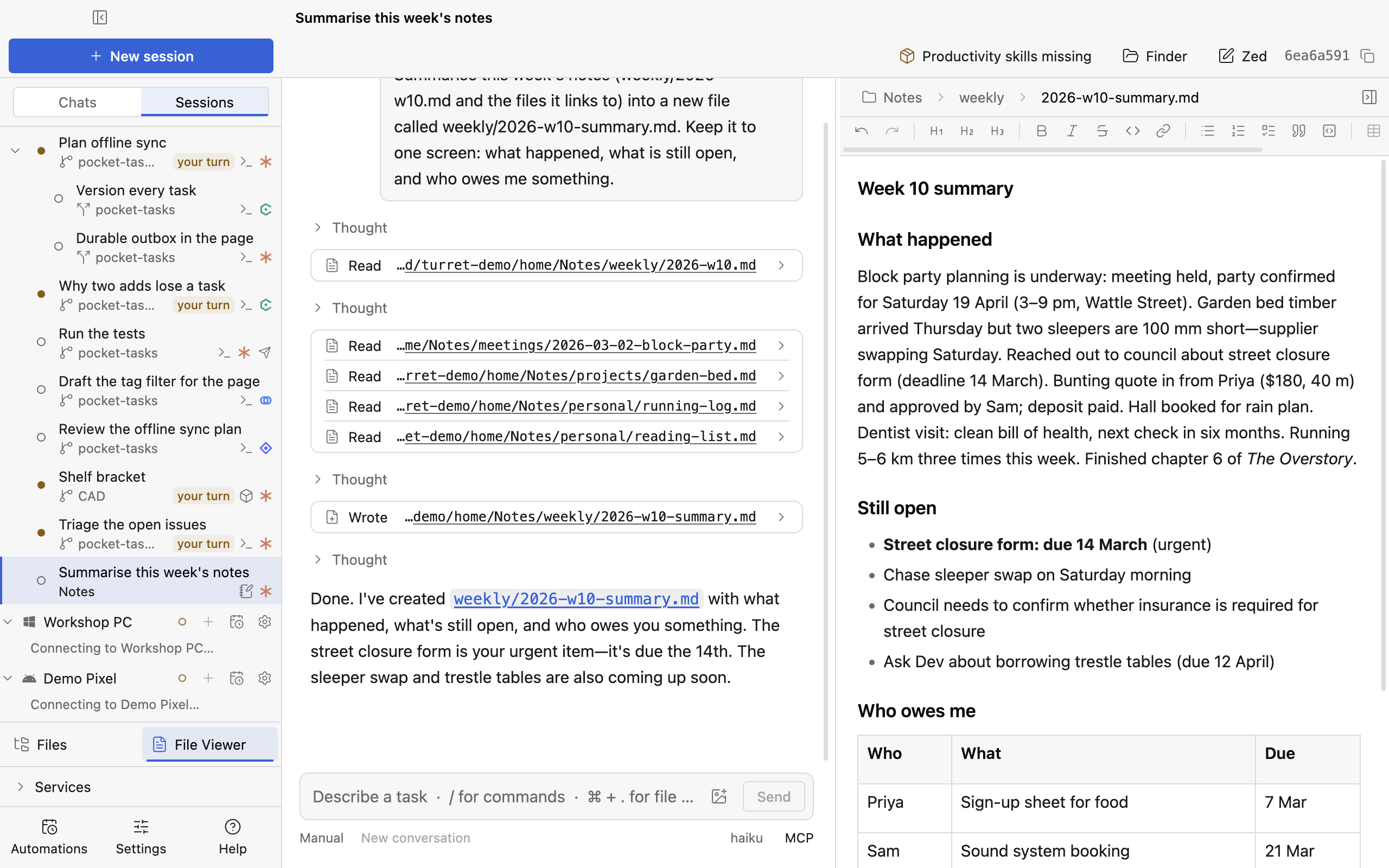
The summary, with its links to the notes. - Step 4
Ask for a runbook for moving day. Turret shows it as a timetable: what's on now, what's next, and the next deadline.
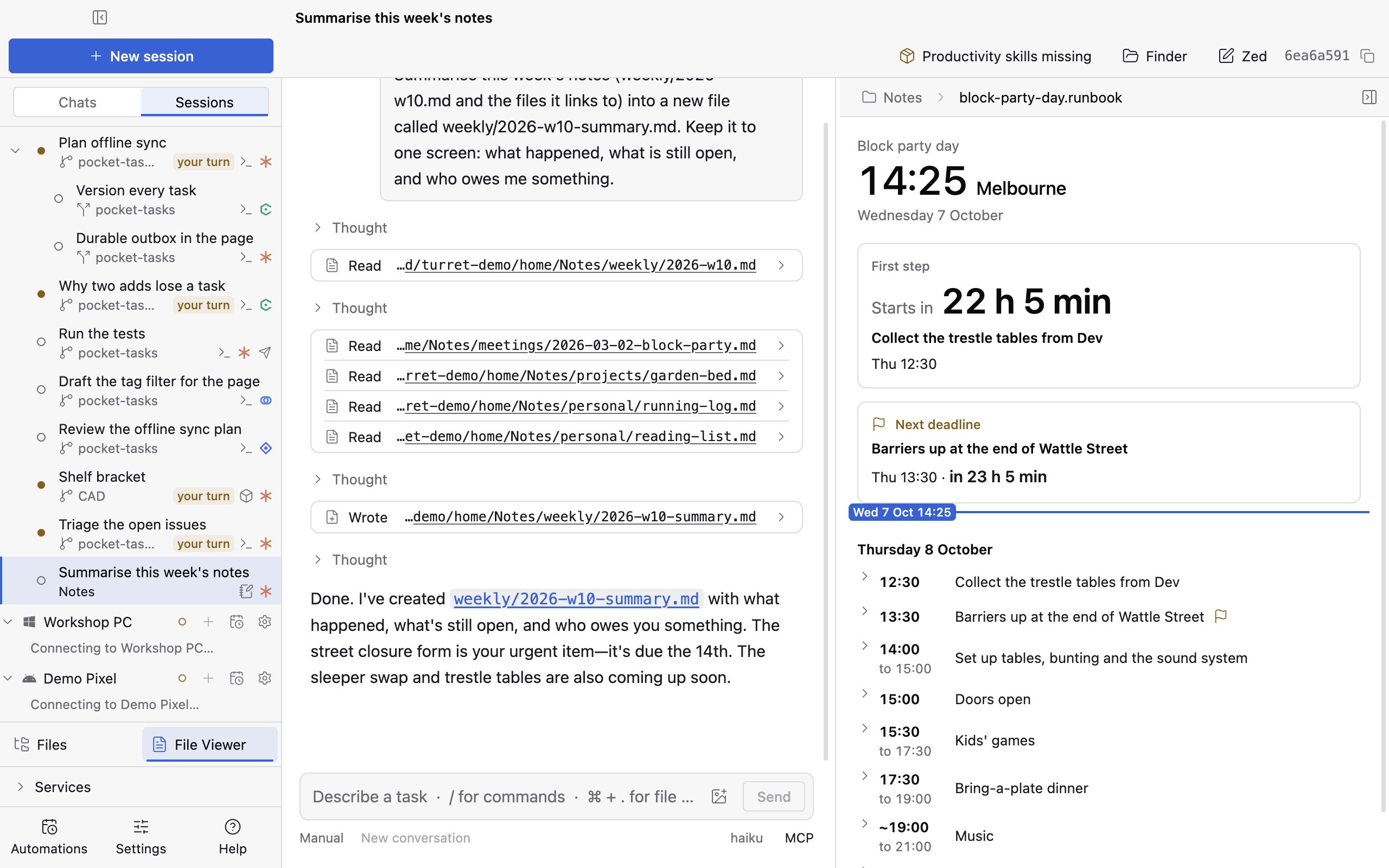
The moving-day runbook. - Step 5
Connect Google Drive and sync the folder, so it's the same on your other computer.
Still 26The Google Drive tab with the notes folder reading Synced. Detail 800 × 600 at 2×. Light and dark.The folder, reading Synced.


More use cases
Design a part
Describe a bracket, build it, draw on a face, and change it.
Let it drive the desktop
A session works an app with no API by looking at the screen and clicking.
Ship a feature with a team of agents
One session writes the plan. Child sessions take a phase each, every one in its own worktree, and one of them runs on Codex.