Tutorials
Set up Claude Code or Codex
Install Claude Code from the Set up an engine screen, sign in, and reach the Welcome screen.
By the end, Claude Code will be installed and signed in on your computer, and Turret will have moved on to its Welcome screen. You do not need a terminal. It takes a few minutes, most of it the download.
What you need
- Turret installed and open, with no engine set up yet
- A Claude account
- A web browser, where Claude Code opens Anthropic's sign-in page
Steps
-
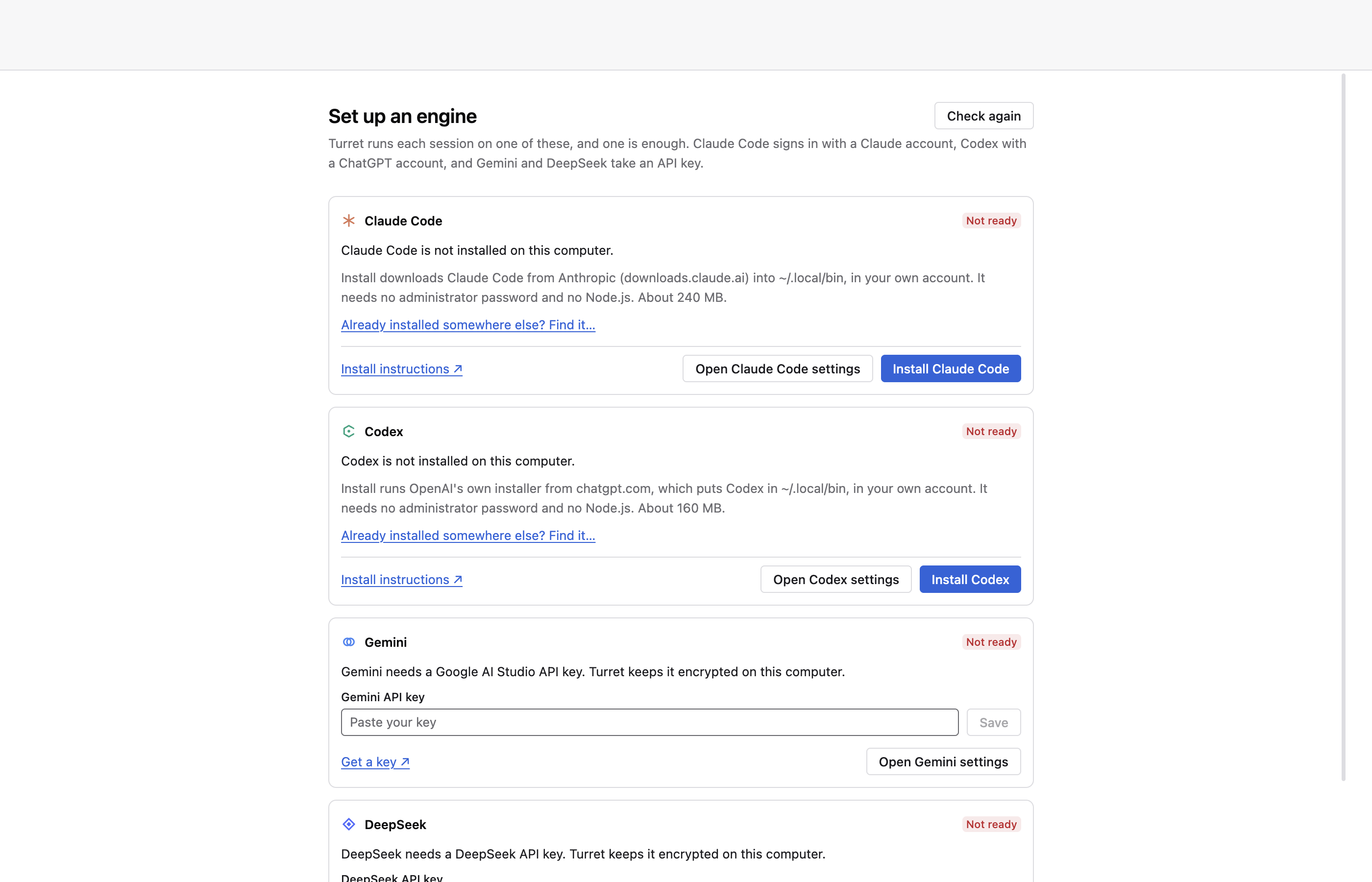
Open Turret. With no working engine it opens on Set up an engine, with a card each for Claude Code, Codex, Gemini and DeepSeek. Claude Code's card reads Claude Code is not installed on this computer.
-
Press Install Claude Code. The card downloads Claude Code from Anthropic into
~/.local/binin your own account. It needs no administrator password and no Node.js. The card lists each step and shows a bar while the download runs.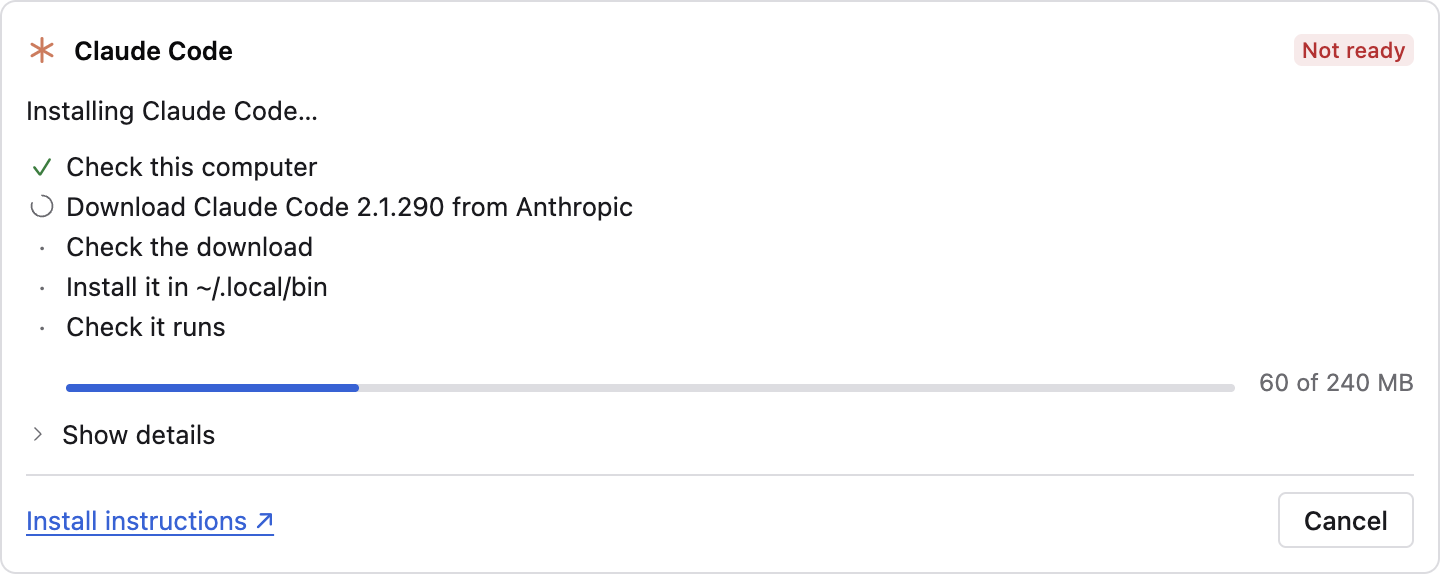
-
Wait for the card to read Not signed in to Claude Code. That means the install worked and the copy starts.
-
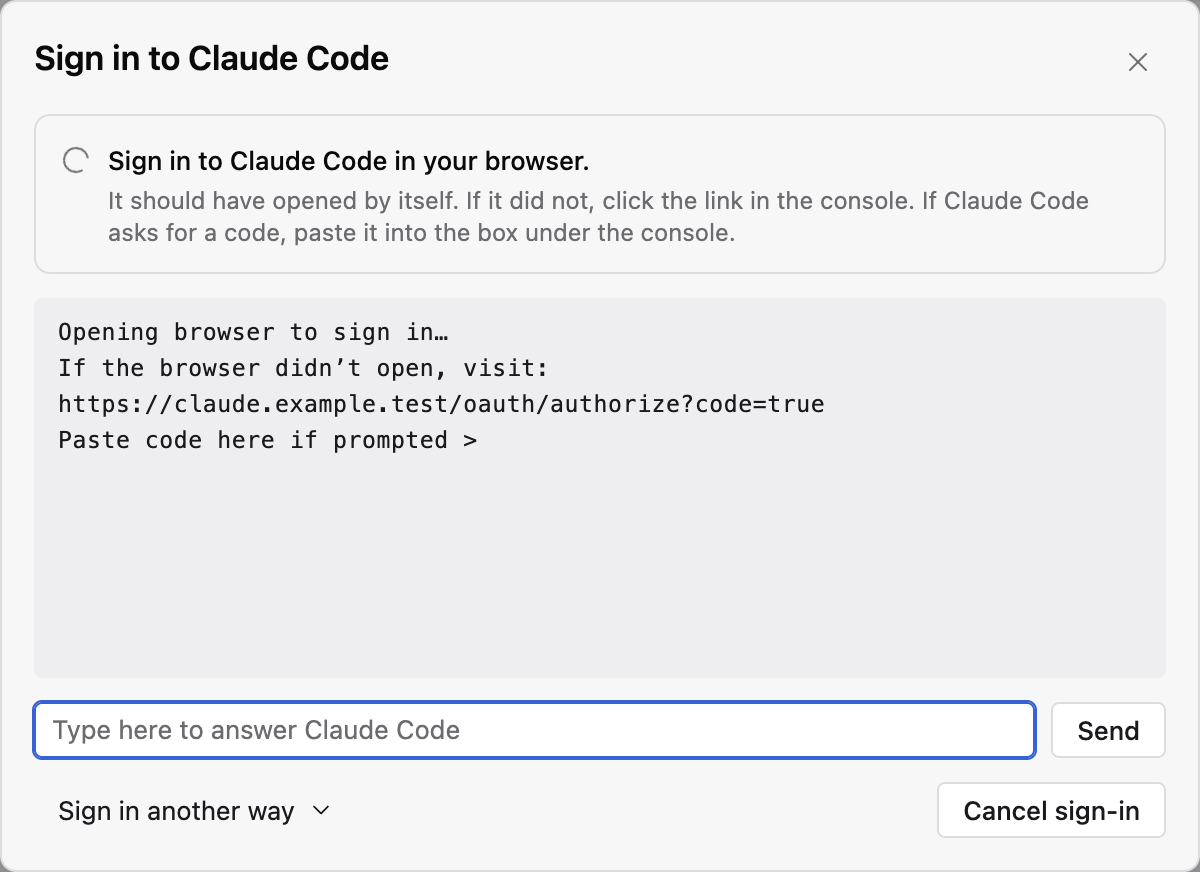
Press Sign in to Claude Code. A sheet opens and shows what Claude Code prints, and your browser opens Anthropic's sign-in page. If the browser does not open, click the link in the sheet.
-
Sign in on Anthropic's page in your browser. If Claude Code asks for a code, paste it into the box under the sheet's output and press Send.
-
Wait for the sheet to close. Claude Code now reads Working, and the Set up an engine screen goes away. Turret opens Choose a base folder on a new install, then the Welcome screen.
If a step goes wrong
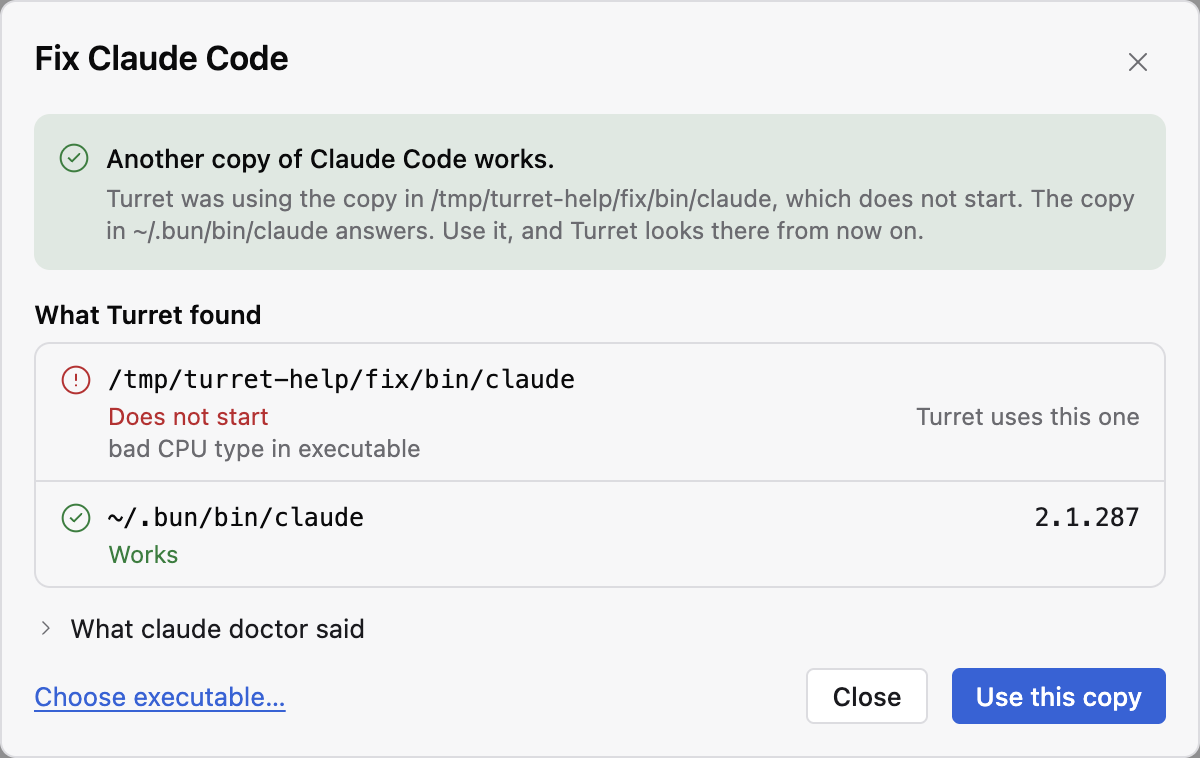
If the card says Claude Code is installed at a path but does not start, press Fix…. The sheet lists every copy of Claude Code that Turret found and what each printed when started.
When a copy works, press Use this copy.
If the download fails, the card says so and its button reads Try again. The details under the card hold what the installer printed.
Next
- Your first session for the Welcome screen and a first session on a sample folder.
- Fix an engine Turret cannot find for Codex, Gemini and DeepSeek, and for copies Turret misses.
- Why Turret holds no credential for what happens to your sign-in.